Ways people can join your text list
Pop-ups, inline forms, text to join, keywords, QR codes, links, other pop-up tools and imported lists.
Shoppers can join your text list in several ways. People who join through a pop-up, inline form, Text us to join, keyword, QR code or link become subscribers to that form and get its welcome text. People you import are subscribed without being sent any text.
| Way to join | Where shoppers find it | Where you set it up |
|---|---|---|
| Pop-up | Opens over your store pages | The form's Show it when section |
| Inline form | Sits inside a page, such as your footer | The form's Show it when section |
| Text us to join | A button in your form that opens a text to you | The form's Add section |
| Keyword | Shoppers text a word, such as JOIN, to your number | The form's welcome campaign |
| QR code | Printed on packaging, receipts or in-store signs | The form's welcome campaign |
| Link | A link you share in emails, social posts or bios | The form's welcome campaign |
| Another pop-up tool | A pop-up built in a tool such as JustUno | The form's welcome campaign |
| Imported list | People who signed up somewhere else, such as at an event | Sign-up forms > Imports |
Pop-up and inline form
Every sign-up form can be a Pop-up or an Inline form. Choose under Show it when > Placement. For the full setup, see Create and publish a sign-up form.
Text us to join
Add the Text us to join block to your form. Shoppers join by sending you a text instead of typing their number.
Keyword, QR code and link
These are set up on the form's welcome campaign, so subscribers who join this way get the same welcome texts as the form.
Open the welcome campaign
Go to Campaigns and open the campaign named after your form, for example "Spring sale welcome series". Its first box shows the form it belongs to, labeled List building with the form's name.
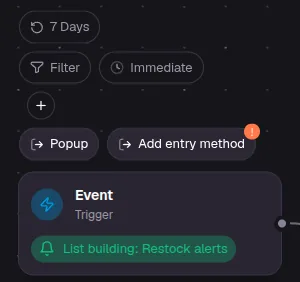
Add an entry method
Click the first box, then Add entry method, and choose one:
- Keyword: shoppers text a word to your number. Enter the keywords you want to use.
- QR Code: shoppers scan a code to join. Use the download button next to the code to save it for printing, and make sure its Active switch is on.
- Deep Link: shoppers tap a link to join.
- Pop-up Integration: connect a pop-up made in another tool, such as JustUno.
- API Integration: your developers add subscribers from your own systems. See the developer docs.
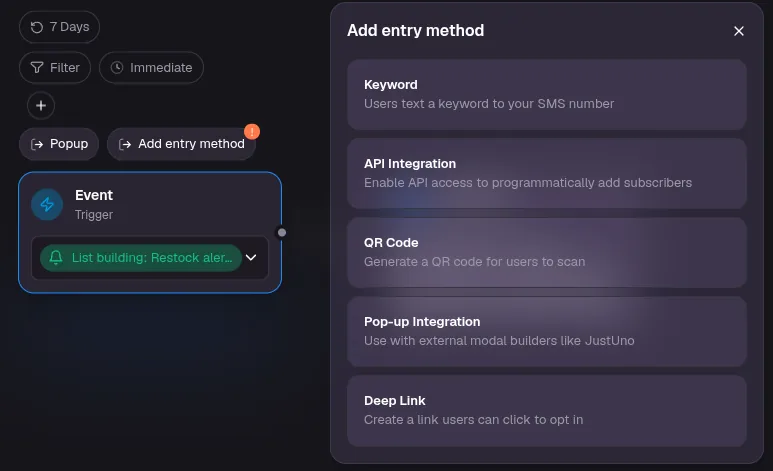
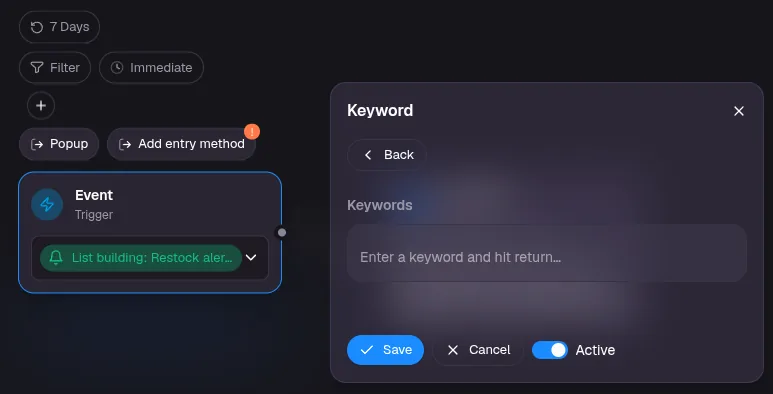
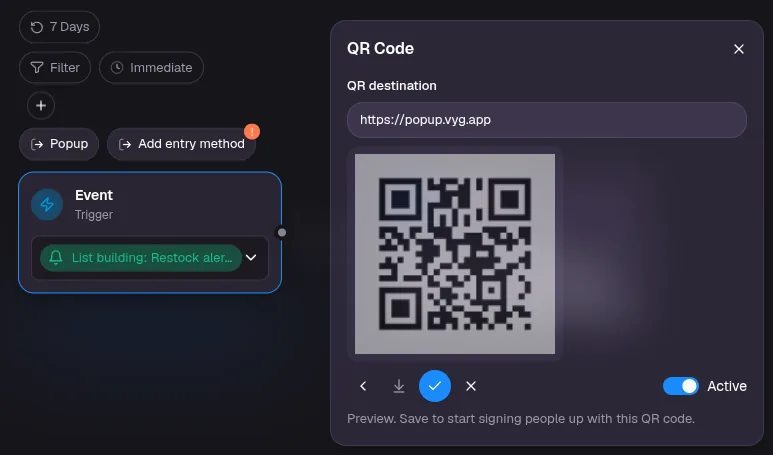
Save
Save the campaign. The new way to join starts working once it is saved.
Confirming by text (double opt-in)
When someone signs up with a form, they get a Confirmation request text and join only after they reply Y. This proves the person who owns the number wants your texts.
People who join by text (Text us to join, keyword, QR code or link) also get the confirmation request by default, and join after they reply Y. To subscribe them as soon as they text you, untick Double opt-in for SMS joins in the form's Texts section.
Importing a list
If people agreed to your texts somewhere else, such as at a pop-up shop or event, you can upload them. Go to Sign-up forms, click Imports, then Import subscribers.

Only import people who agreed to receive marketing texts from you. After the upload, the Imports page shows how many were subscribed, how many were already on file and how many were skipped. You can text an imported list by choosing Imported list as the audience of a one-time send.