Build a segment
Group customers by what they bought, when they last ordered and how they shop, then text them.
A segment is a saved group of customers that matches rules you choose, for example "ordered at least twice and not in the last 60 days". Segments update on their own as customers shop, so you can use the same segment again and again.
Find your segments
Go to Customers, then the Segments tab. VYG starts you off with ready-made segments such as SMS Subscribers, Repeat Customers, At Risk and High Value.
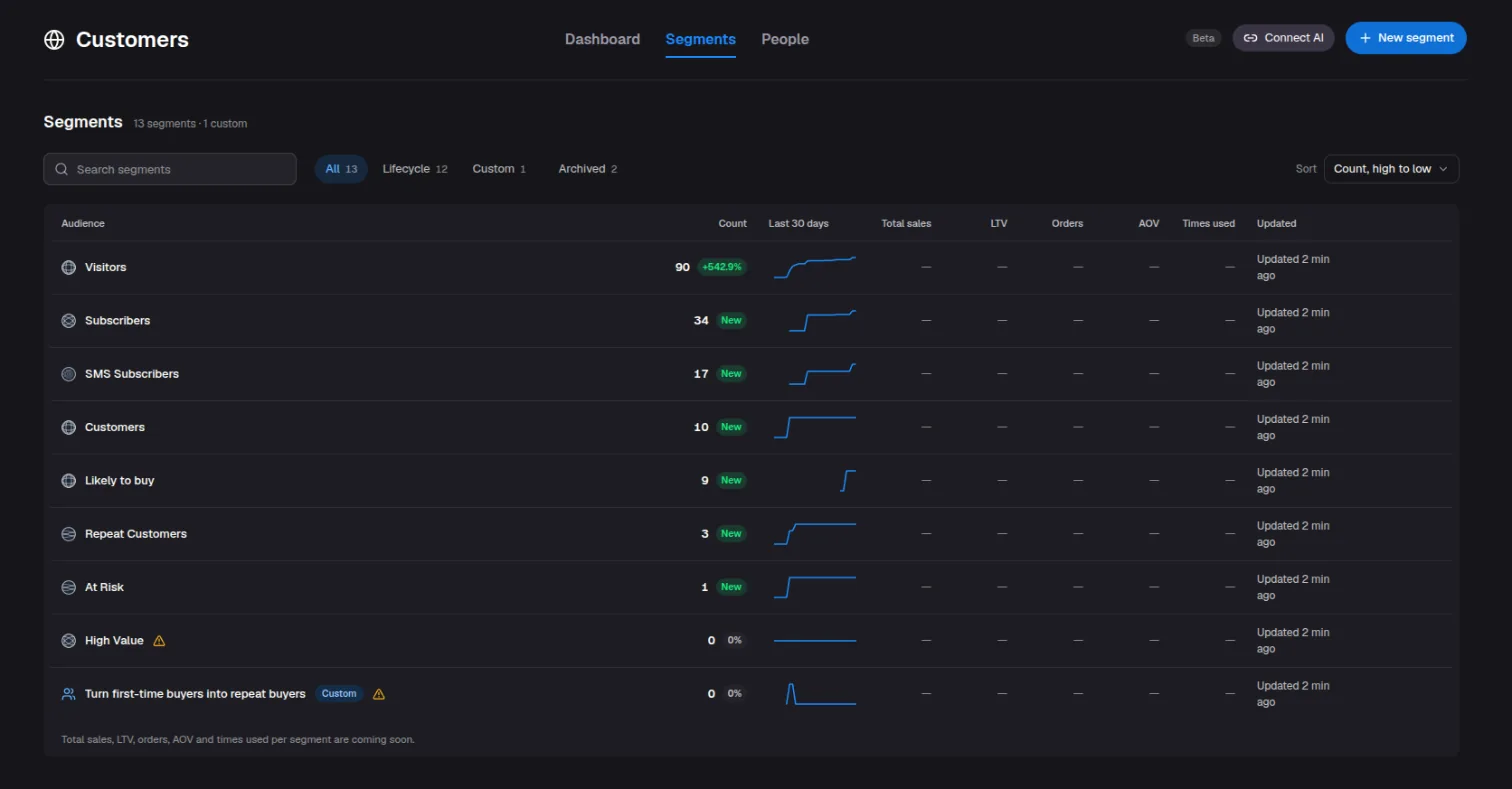
If the Segments tab says it isn't turned on, email service@vyg.ai.
Start from a goal
The quickest way to make a segment is to start from a goal. Click New segment, then Start from a goal, and pick one, such as Win back lapsed buyers, Reward your best customers or Left items in their cart.
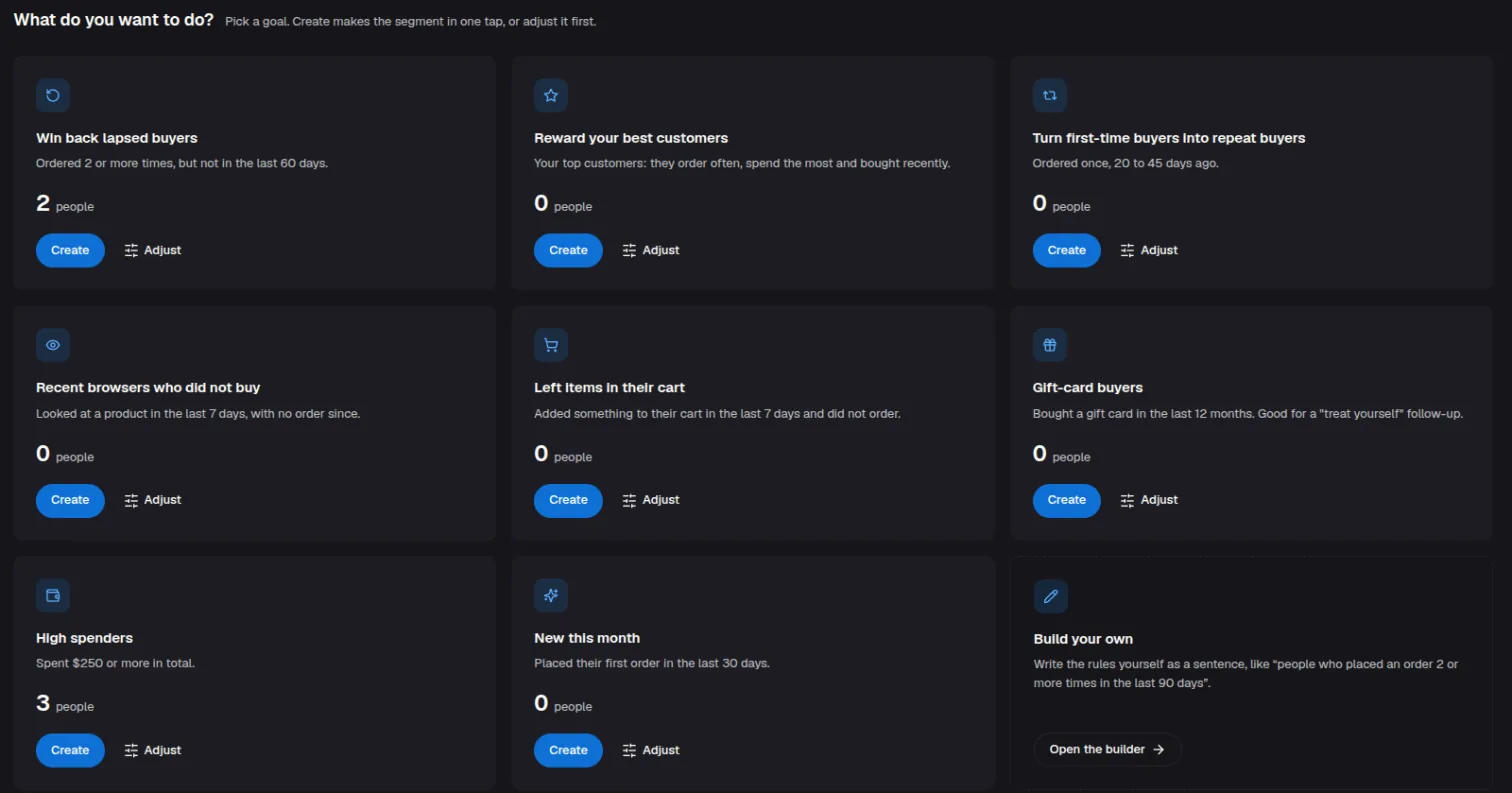
Click Create to save it as it is, or Adjust to change the rules first.
Build your own
Name it
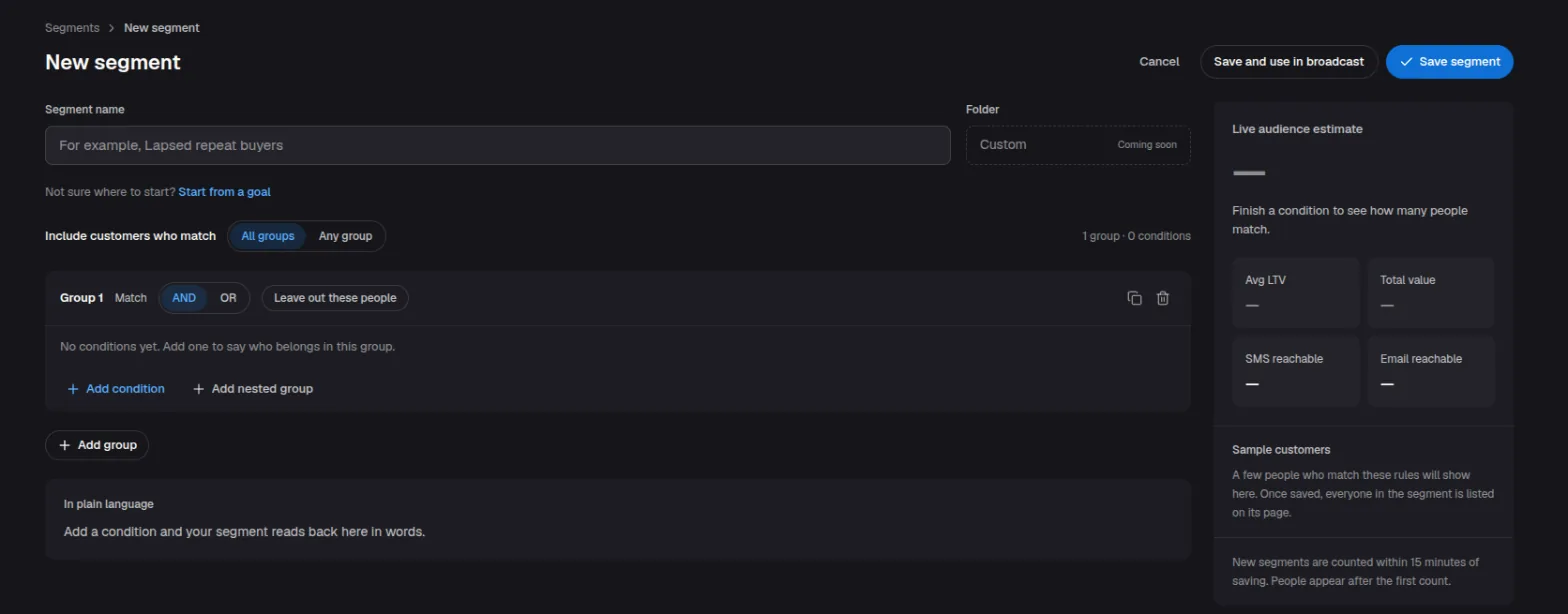
Click New segment and give the segment a name your team will recognize, such as "Lapsed repeat buyers".
Add conditions
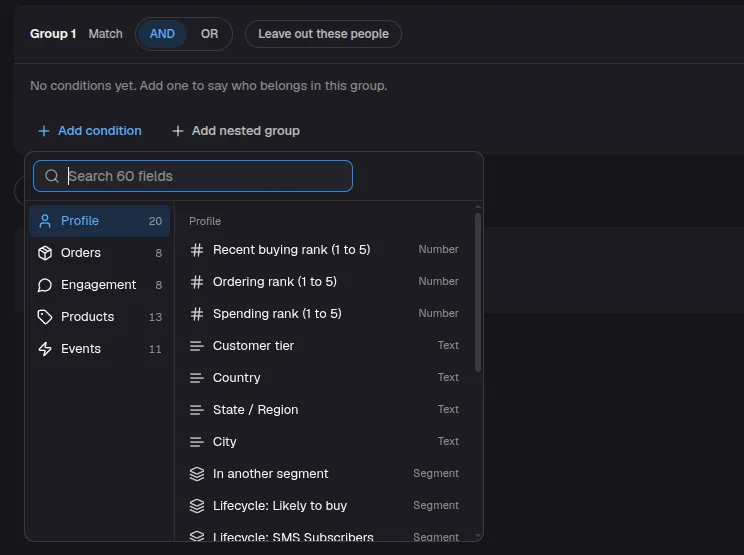
Click Add condition and pick a detail to match on. They are grouped into:
- Profile: location, customer tier and other segments.
- Orders: days since last order, total spend, number of orders, refunds.
- Engagement: recent activity, and whether the customer can get texts or emails.
- Products: viewed a product, added to cart, left a checkout.
- Events: visited your site, and events from tools you have connected.
Combine conditions
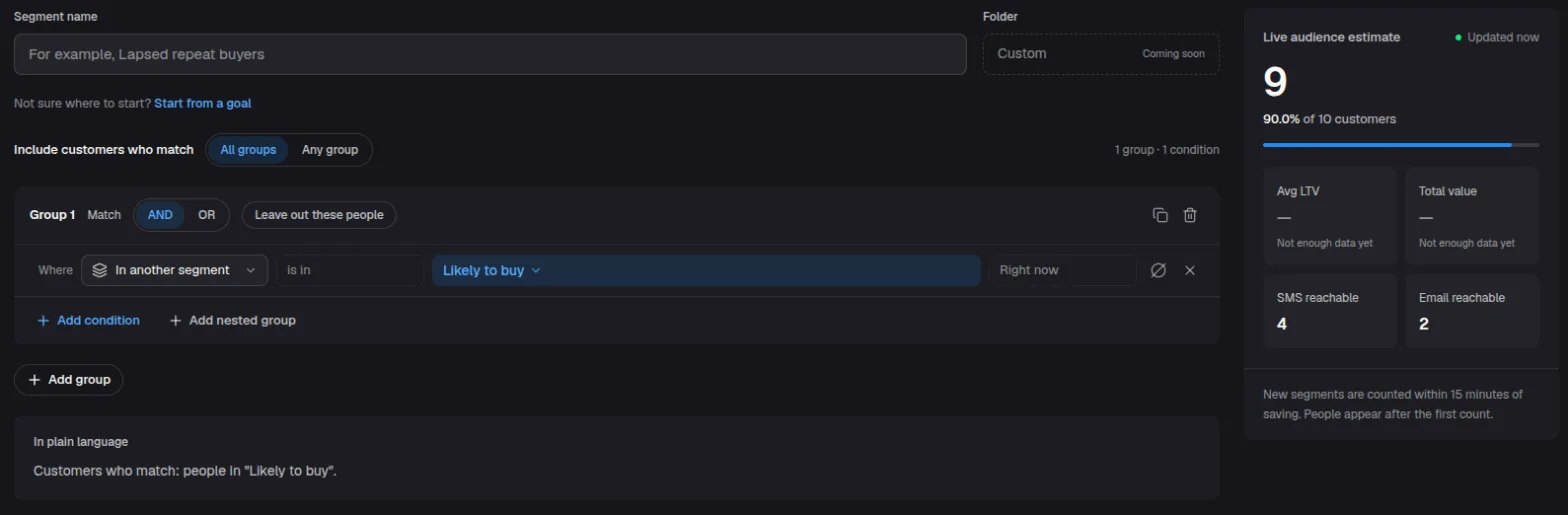
Inside a group, choose AND (match every condition) or OR (match any). Add more groups with Add group, and choose whether customers must match All groups or Any group. To exclude people, turn on Leave out these people for a group.
The In plain language box spells out who is included, so you can check the rules read the way you meant.
Check the size
The Live audience estimate shows how many customers match, how many can be texted or emailed, and a few sample customers.
Save
Click Save segment, or Save and use in broadcast to go straight to a one-time send to this segment. New segments are counted within 15 minutes of saving.
Text a segment
Create a one-time send and choose Segment as the audience. If you don't see Segment there, email service@vyg.ai. See Send a one-time text to your subscribers. Only customers who are subscribed to your texts receive it, even if the segment includes others.