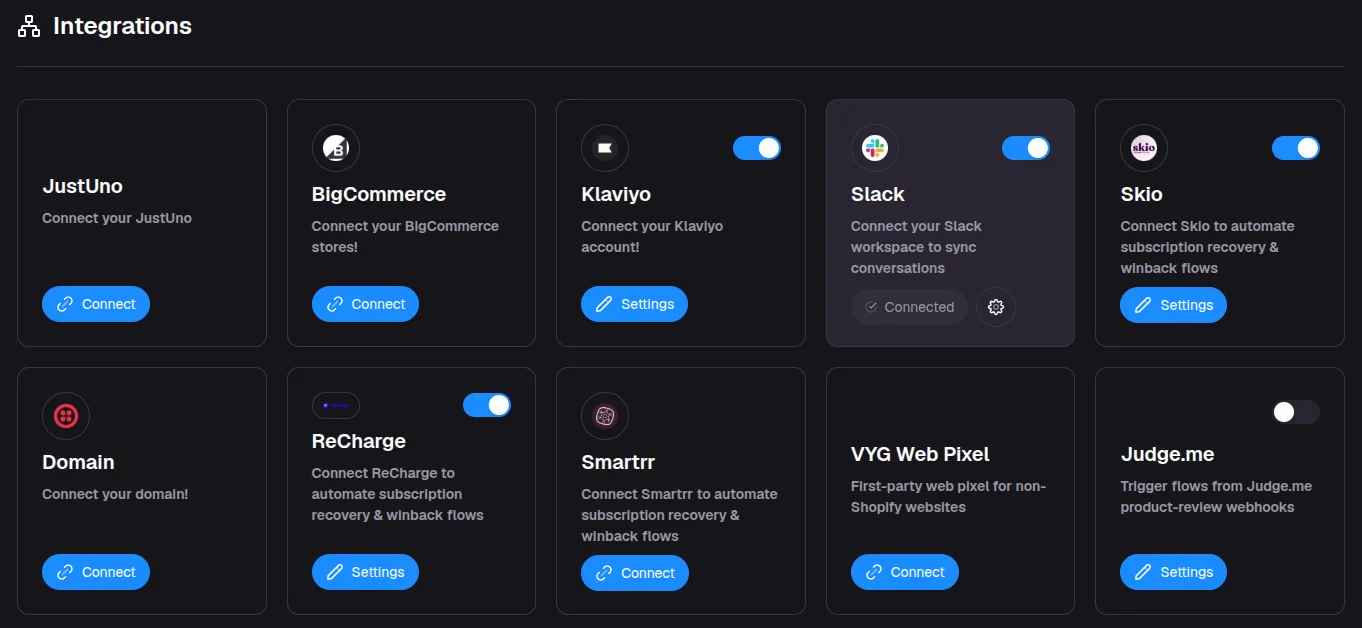
Choose how to connect your store
Which connection to use for Shopify, WooCommerce, BigCommerce, other platforms and websites without a store, and what each one brings into VYG.
VYG needs to see your store's carts, checkouts, orders and customers before it can text shoppers. How you connect depends on where you sell. This page helps you pick the right connection.
Pick your connection
| Where you sell | How you connect | Who does it | Guide |
|---|---|---|---|
| Shopify | The VYG Shopify app | You, in about 2 minutes | Connect your Shopify store |
| WooCommerce | A WooCommerce data source and the VYG checkout plugin | You, or whoever manages your WordPress site | WooCommerce setup |
| BigCommerce | The BigCommerce connection under Integrations | You, in about 5 minutes | Connect your BigCommerce store |
| Checkout Champ | A Checkout Champ data source | You or your developer | Connect another platform with a data source |
| Any other platform, or a custom-built store | A data source that receives events from your store | Your developer | Connect another platform with a data source |
| A website without a store | The VYG Web Pixel | You or your developer | I only have a website |
If you sell on more than one platform, connect the one where most of your orders happen first. You can add more data sources later.
Start connecting
- Open Connect your store and choose Shopify.
- Enter your
.myshopify.comaddress and click Connect Shopify. - Approve the app in Shopify.
Full guide: Connect your Shopify store.
- Open Add data source and choose WooCommerce.
- Enter your store address and approve access in WooCommerce.
- Download and install the VYG checkout plugin, then click Check setup.
Full guide: WooCommerce setup.
- Open Connect your store and choose Another platform or a custom-built store.
- Enter your developer's email and click Send the guide.
- Your developer connects your store. The step checks itself off when your first order arrives.
Full guide: Connect another platform with a data source.
The VYG Web Pixel is not available on every account yet. Look for VYG Web Pixel on the Integrations page. If it isn't there, email service@vyg.ai.
What each connection brings in
| Shopify | WooCommerce | Other data source | Web Pixel only | |
|---|---|---|---|---|
| Orders and customers | Yes | Yes | What your developer sends | No |
| Checkouts shoppers left | Yes | Yes, with the checkout plugin | What your developer sends | No |
| Products | Full catalog | Items in each order | Items included in each event | No |
| Website visits | Yes, if customer data features are on for your account | No | No | Yes |
| Ready-made campaign triggers, such as Checkout Abandoned and Order Shipped | Yes | No, you use your store's own events | No, you use your store's own events | No |
| Shopify discount codes in texts | Yes | No | No | No |
Ready-made triggers and your own events
With Shopify, campaigns can start from ready-made events such as Checkout Abandoned, Order Placed, Order Shipped and Order Delivered.
With a data source, each event your store sends becomes a trigger of its own. For example, if your developer sends a checkout_updated event, you can start a cart recovery campaign from it. See Create a campaign that starts when something happens.
Phone numbers
Texts need a phone number. Make sure your checkout asks for one. For a data source, each event needs an email address or a phone number, and only events with a phone number can start a text campaign.
I only have a website
If you have a website but no online store, the VYG Web Pixel records visits and the customers behind them. It is not available on every account yet.
When it is available for your account, you find it on the Integrations page with steps to add it to your site. If you don't see it, email service@vyg.ai and we will tell you when it can be turned on.
Add your other tools
After your store, you can connect subscription, review and support tools on the Integrations page. Subscription tools such as ReCharge, Skio, Smartrr, Stay AI and Ordergroove add subscription events, such as a failed payment or a cancellation, that can start campaigns.